

Play Store Application link – Java to AngularJS in 16 Steps – App on Google Play
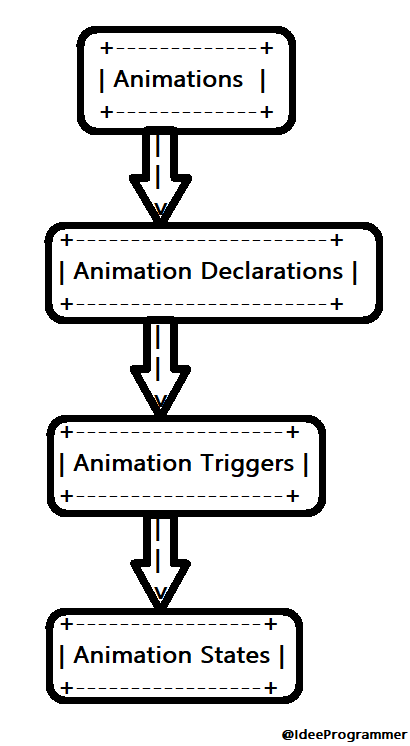
Animations can make your web applications feel more dynamic and engaging. AngularJS provides a straightforward way to add animations using the ngAnimate module. For those familiar with Java, think of AngularJS animations as similar to using animation frameworks or libraries in JavaFX or Swing, but designed for web development.
Introduction to Animations in AngularJS
Animations in AngularJS help improve user experience by adding visual effects when elements appear, disappear, or change state. You can achieve this with minimal effort using the ngAnimate module.
Java Comparison:
In Java, animations can be handled with JavaFX or Swing, where you might use animation classes to control visual effects. AngularJS simplifies this process for web applications with built-in support for animations.
Core Concepts of Animations in AngularJS
Here’s a quick overview of the concepts involved in AngularJS animations:
- CSS Animations and Transitions: AngularJS leverages CSS to create animations. It adds or removes CSS classes to control animations, similar to how you might use
TimelineorTransitionclasses in JavaFX. - Animation States: Just like in JavaFX where an animation can represent different states of a UI element, AngularJS animations use states to determine how elements should be animated.
- Animation Triggers: These are events that initiate animations. For example, clicking a button can trigger an animation, similar to how you might start an animation in response to user interactions in JavaFX.
- Animation Timings: Control the duration of animations using CSS, similar to setting animation duration in JavaFX.
Creating Animations using ngAnimate
AngularJS’s ngAnimate module helps you integrate animations into your application. Here’s a breakdown of how to use it:
- Include ngAnimate: Add
ngAnimateas a dependency in your AngularJS module. - Use CSS Classes for Animations: Define CSS classes that specify the animation effects.
- Apply Directives: Use AngularJS directives to trigger animations.
Example: Creating a Simple Animation
Let’s see how to create a basic fade-in and fade-out animation using ngAnimate:
<!DOCTYPE html>
<html ng-app="myApp">
<head>
    <title>Animations in AngularJS</title>
    <style>
        .fade {
            opacity: 1;
            transition: opacity 1s; /* Control animation duration */
        }

        .fade.ng-hide {
            opacity: 0;
        }
    </style>
</head>
<body>
    <div ng-controller="myCtrl">
        <h1>Animations in AngularJS</h1>
        <button ng-click="hide()">Hide</button>
        <button ng-click="show()">Show</button>
        <p ng-hide="isVisible" class="fade">This paragraph will fade in and out.</p>
    </div>

    <script src="https://ajax.googleapis.com/ajax/libs/angularjs/1.6.9/angular.min.js"></script>
    <script src="https://ajax.googleapis.com/ajax/libs/angularjs/1.6.9/angular-animate.min.js"></script>
    <script>
        var app = angular.module('myApp', ['ngAnimate']);
        app.controller('myCtrl', function($scope) {
            $scope.isVisible = true;
            $scope.hide = function() {
                $scope.isVisible = false;
            };
            $scope.show = function() {
                $scope.isVisible = true;
            };
        });
    </script>
</body>
</html>
Explanation:
- CSS: Defines the
.fadeclass with a transition effect for opacity. When the element has theng-hideclass, its opacity transitions to 0, creating a fade-out effect. - AngularJS: Uses
ng-hideto toggle visibility. ThengAnimatemodule handles the transition based on the CSS definitions.
Java Comparison:
In JavaFX, you might use FadeTransition to achieve a similar effect:
FadeTransition fade = new FadeTransition(Duration.seconds(1), node);
fade.setFromValue(1.0);
fade.setToValue(0.0);
fade.play();
Summary
AngularJS animations are a powerful feature for enhancing user interfaces by adding visual effects to elements. They use CSS for animations and integrate with AngularJS through the ngAnimate module. This approach is similar to animation handling in JavaFX, where you use animation classes to control visual changes. By leveraging these animations, you can make your web applications more interactive and visually appealing with minimal effort.
Điều mình hài lòng là cricfy tv download hoạt động tốt trên cả iPhone lẫn Android. TONY08-26
Your point of view caught my eye and was very interesting. Thanks. I have a question for you.
Thank you for your sharing. I am worried that I lack creative ideas. It is your article that makes me full of hope. Thank you. But, I have a question, can you help me?
Thanks for sharing. I read many of your blog posts, cool, your blog is very good.