

Play Store Application link – https://play.google.com/store/apps/details?id=com.ideepro.java25hours
Learn with youtube video-
💡Definition
– Group of similar types of classes, interfaces and subpackages.
💡Categories-
Comparing built-in and user-defined packages in Java:
| Feature | Built-in Packages | User-defined Packages |
|---|---|---|
| Provided by | Java runtime environment | Developer |
| Contains | Pre-defined classes, interfaces, and methods | Classes and interfaces defined by developer |
| Importing | Automatically imported | Must be explicitly imported using import keyword |
| Naming convention | Follows specific convention (e.g. java.util, java.io) | Can be named by developer, as long as it is a valid Java identifier |
| Purpose | Provide pre-defined functionality | Organize and reuse developer’s own code |
💡1- Built in packages
– also called as predefined packages in java
i.e- java.lang, java.util, java.io etc
💡2- User defined packages
-also called as developer/user defined packages
[To use class of other package, we have 3 options to choose]
| Option | Syntax | Example |
|---|---|---|
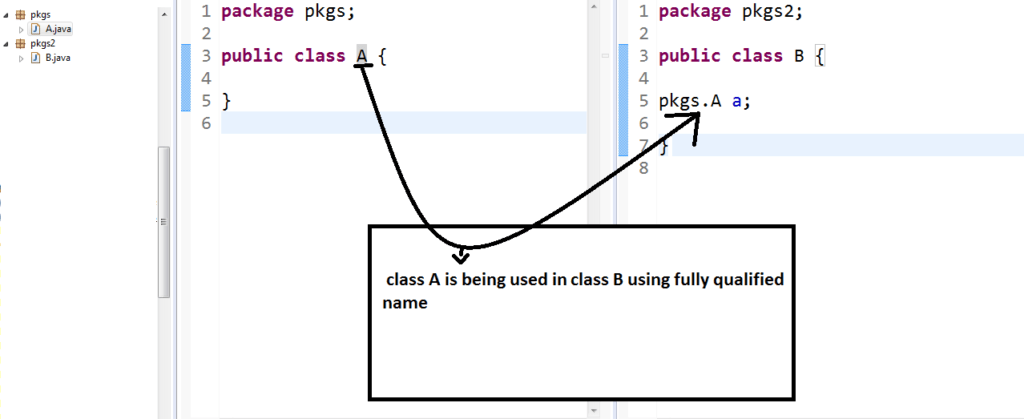
| Fully Qualified Name | package.ClassName.methodName() | java.util.ArrayList.add() |
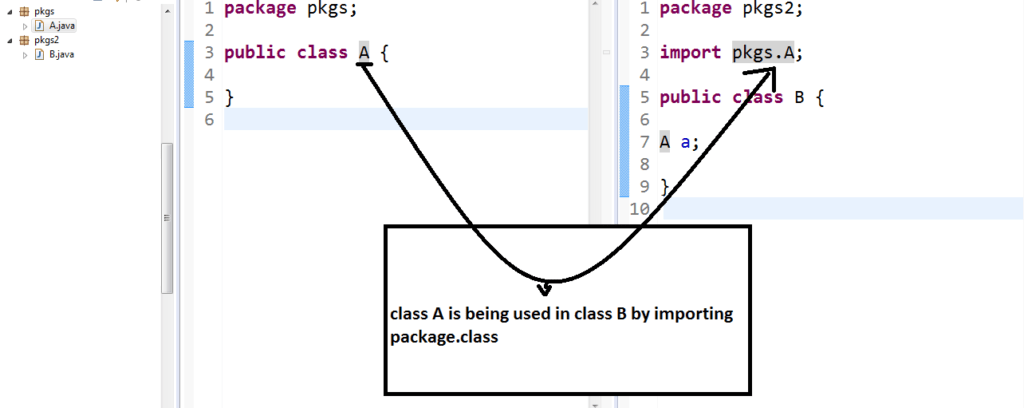
| Import using Package.Class before Class Declaration | import Package.Class; | import java.util.ArrayList; |
| Import Full Package | import Package.*; | import java.util.*; |
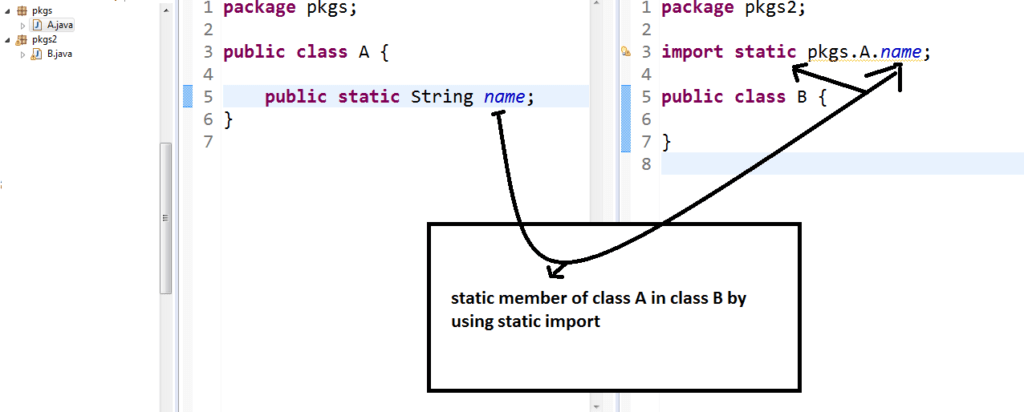
| Static Import | import static Package.Class.methodName; | import static java.lang.Math.PI; |
💡a- using fully qualified name
💡b- by importing package.class (recommended)
💡C- by importing full package*
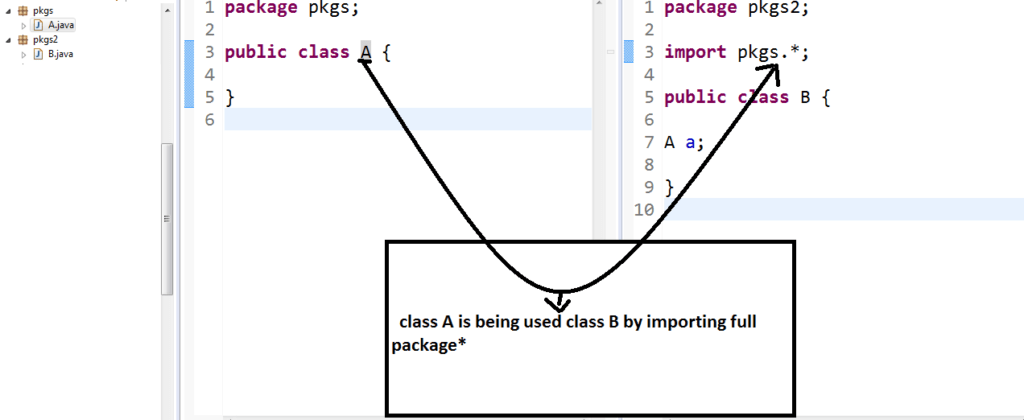
Note– importing package doesn’t include subpackage
💡Static Import–
used to import only static member of a class instead of class.
Interview Questions —
- How packages are related to access modifiers?
- How many ways are available to import class of other packages?













[…] Step 11: Java Nested Classes Explained – Easy Guide with Code (7th Hour)Step 12: Java Packages Explained – Easy Guide with Code (7th Hour) […]